Case Study – 2025
Enterprise Content & Workflow Platform

My Role & Approach
As one of the early designers on the platform and later its primary designer, I worked closely with Product, Engineering, and business stakeholders to translate broad product needs into scalable workflows across multiple modules. I mapped requirements, explored interaction models, and validated technical feasibility as the platform evolved, balancing individual workflow needs with patterns that could scale across the broader product.
Outcome
Designed a scalable enterprise platform spanning document, case, event, content, and AI-assisted workflows, establishing reusable interaction patterns that support multiple products and user needs.
1 - Overview
One platform, many modules
Modern software users value control, transparency, and efficiency. They want the freedom to access information, configure workflows, and accomplish goals without unnecessary friction.
VizPlatform provides that flexibility through a customizable platform designed to empower users while supporting a wide range of business needs.
2 - Problem
Fragmented tools created fragmented workflows
Many software ecosystems are powerful, but they're rarely centralized. Users often manage their work across multiple platforms, creating fragmented experiences and operational inefficiencies.
VizPlatform set out to solve this challenge by bringing critical tools and workflows into a unified experience.
3 - Design Process
The big picture was clear, but many decisions had to be made
As the first phase of the redesign, we focused on understanding our users' day-to-day workflows, challenges, and goals. These insights helped uncover opportunities to reduce friction and create a more streamlined experience.
What tasks are you doing on a daily basis?
What do you wish to see implemented in a single system?
How many systems, applications, or platforms do you use to complete general tasks?
Several patterns emerged across user interviews and feedback sessions:
Referencing, creating, and/or modifying documents were daily tasks for majority of users
Almost all users use a ticket/case management system to track tasks and/or support tickets
Many users wish to be able to update website info and have better communication with their clients
Majority of users stated that they would like to schedule and view meetings and events in one place
4 - Final Solution
A modular platform for connected work
With research complete, the focus shifted from discovery to execution. In partnership with the Product Owner, I designed a suite of core VizPlatform modules that aligned user needs with business objectives and long-term product goals.
VizPlatform
Document Management
Document management is a workflow users encounter across many platforms, making consistency and familiarity critical to the experience. By leveraging established patterns and validating concepts through iterative design reviews, we developed a solution that felt both intuitive for users and adaptable to future platform growth.
Below are a selection of screens from the final designs.
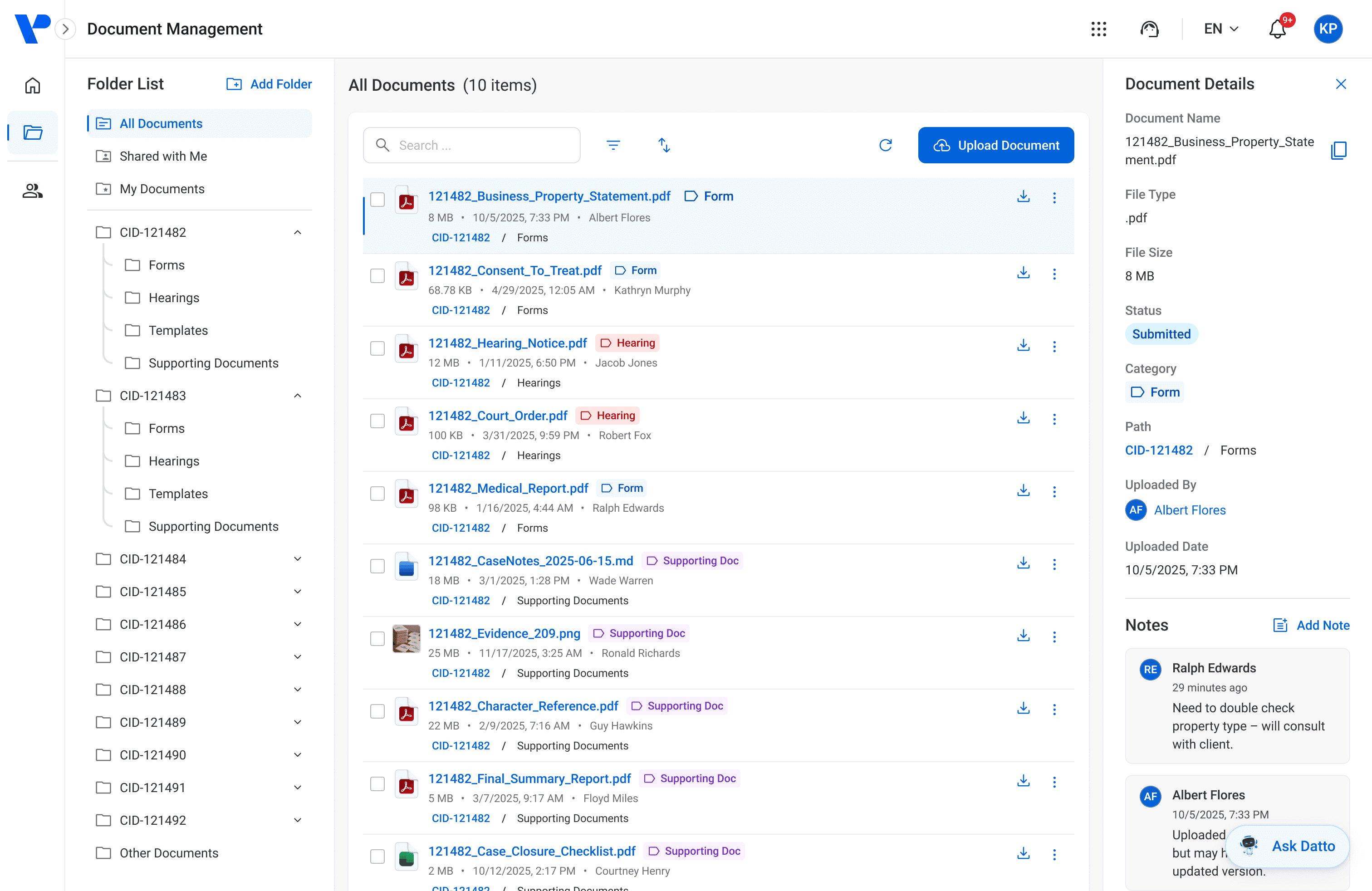
Figure 1. The main documents screen where users can access all documents.
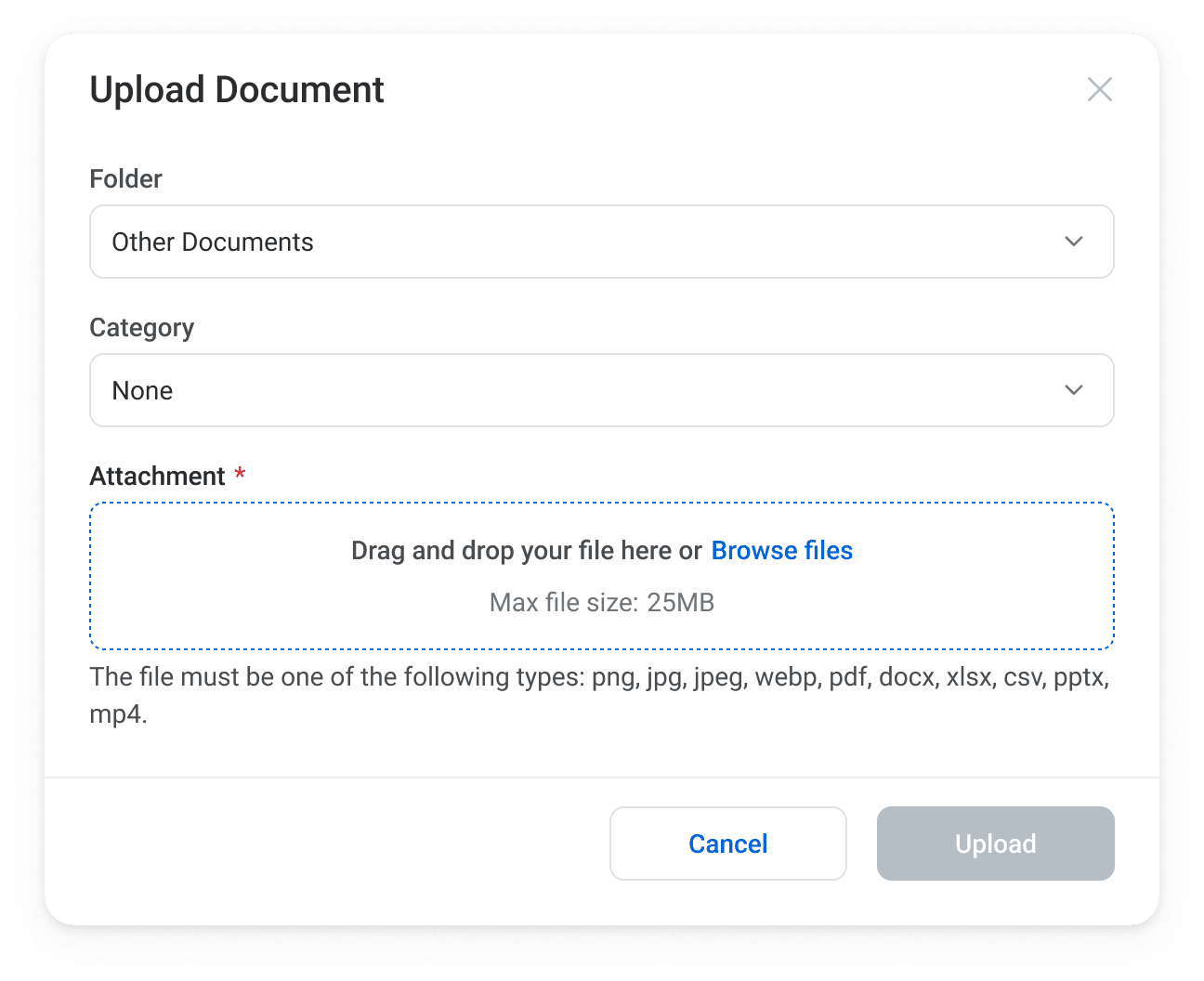
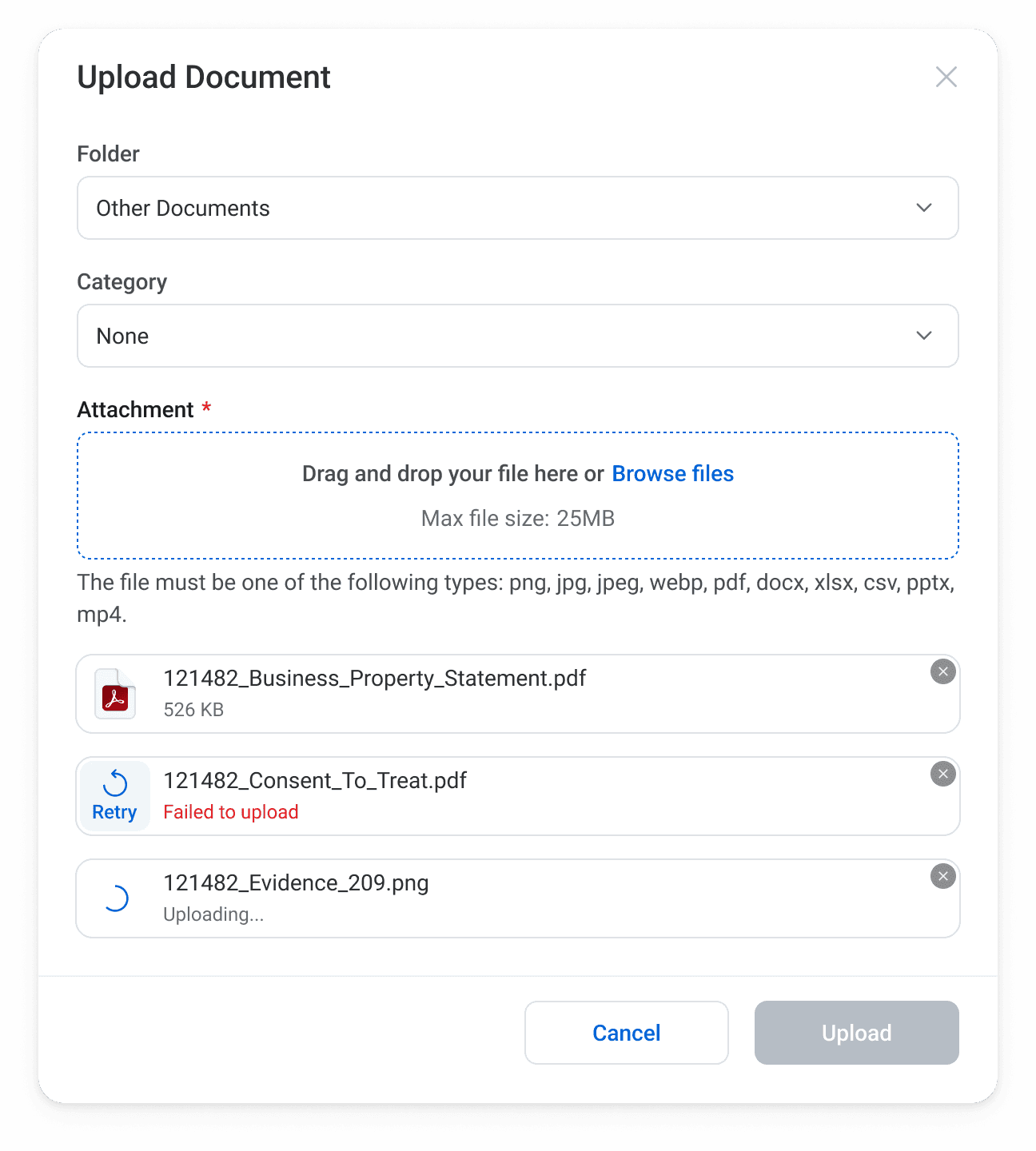
Figure 2. Upload Document modals.
Case Management
Case Management built upon many familiar enterprise workflows while introducing a more dynamic experience through drag-and-drop functionality. To support different working styles, the module offers both List and Board views, allowing users to choose the format that best fits their needs.
The experience was designed to surface key information upfront while keeping secondary actions organized and easily accessible. Common actions such as sharing, archiving, and deleting were consolidated into contextual menus, helping reduce visual clutter without sacrificing functionality.
Efficiency was a key consideration throughout the design. Users can quickly navigate to detailed case information, view assignee and submitter details, or enter edit mode with minimal effort, reducing the number of steps required to complete common tasks.
The following screens showcase the List and Board views of the Case Management module.
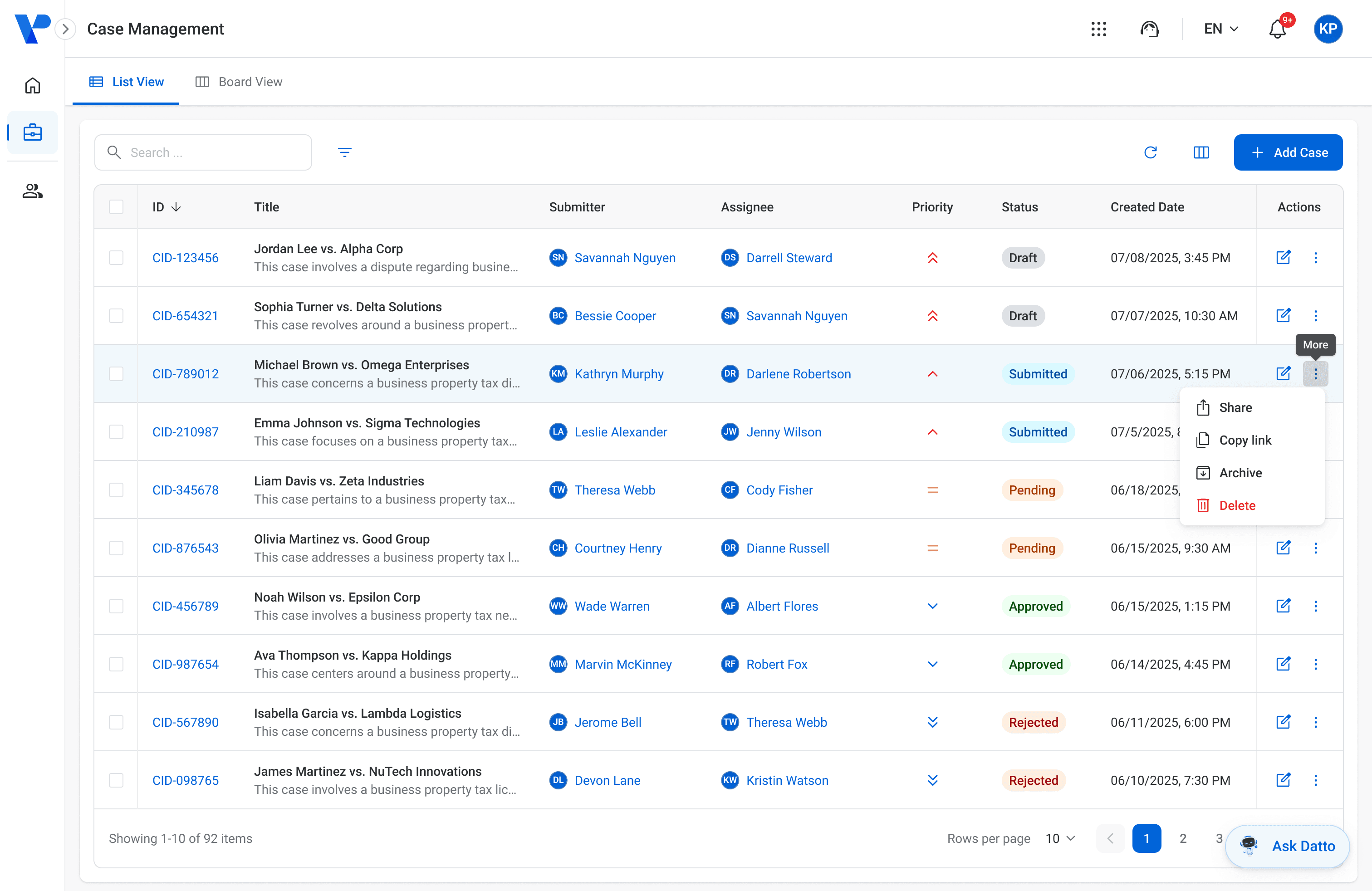
Figure 3. Case Management list view (default) and available actions.
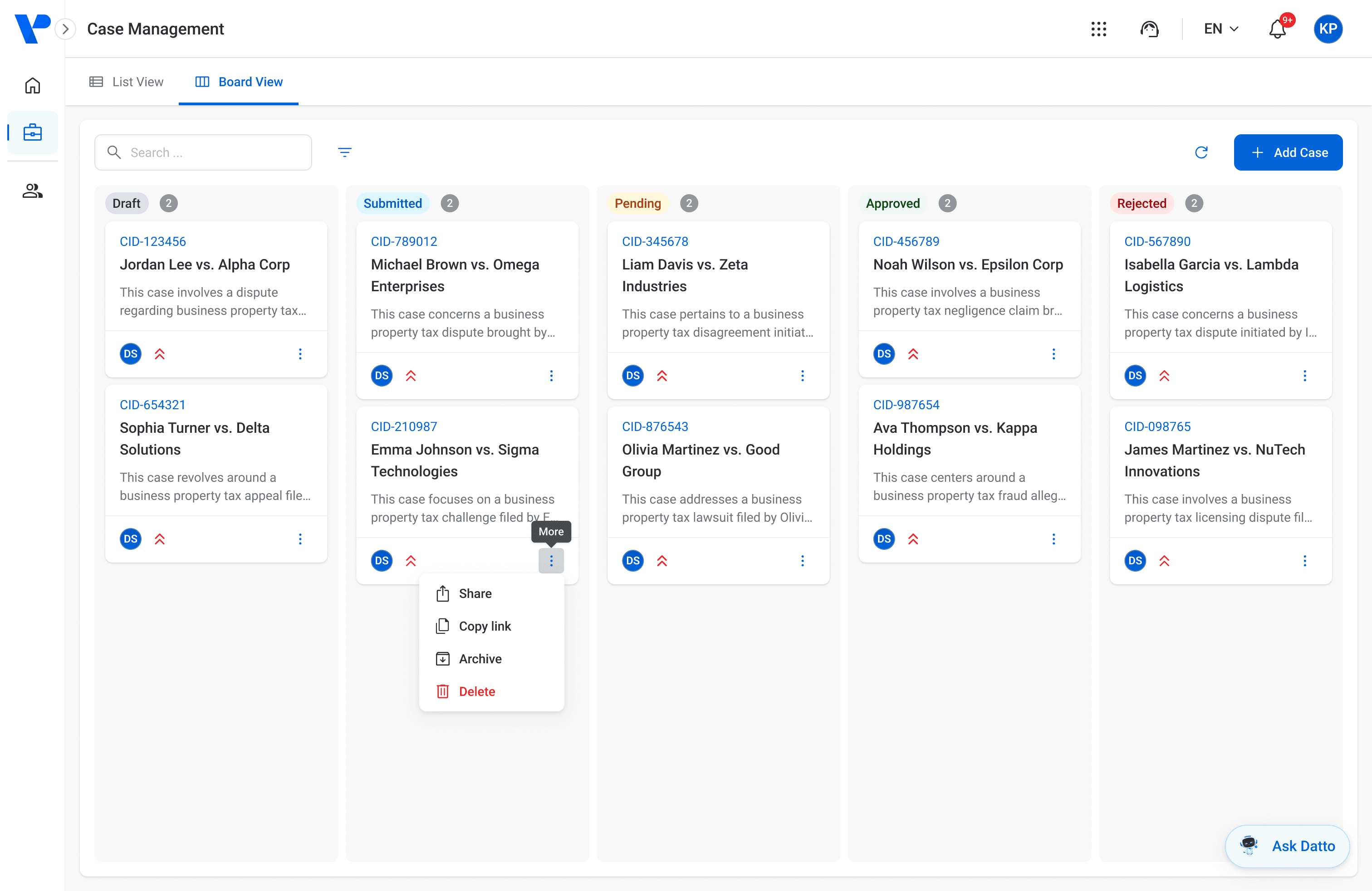
Figure 4. Case Management board view and available actions.
Event Scheduling
The Event Scheduling module proved to be one of the more interesting design challenges within VizPlatform. While the individual features were relatively straightforward, the variety of workflows, views, and editing states introduced a significant level of complexity.
As requirements evolved, new scenarios and edge cases continued to emerge, requiring ongoing refinement throughout the design process. This highlighted the importance of creating flexible patterns that could accommodate both current needs and future enhancements without compromising usability.
Despite the module's complexity, the final experience remained cohesive, intuitive, and scalable. By establishing consistent interactions and reusable design patterns, we were able to support a wide range of scheduling needs while maintaining a streamlined user experience.
The following screens showcase several key areas of the Event Scheduling module.
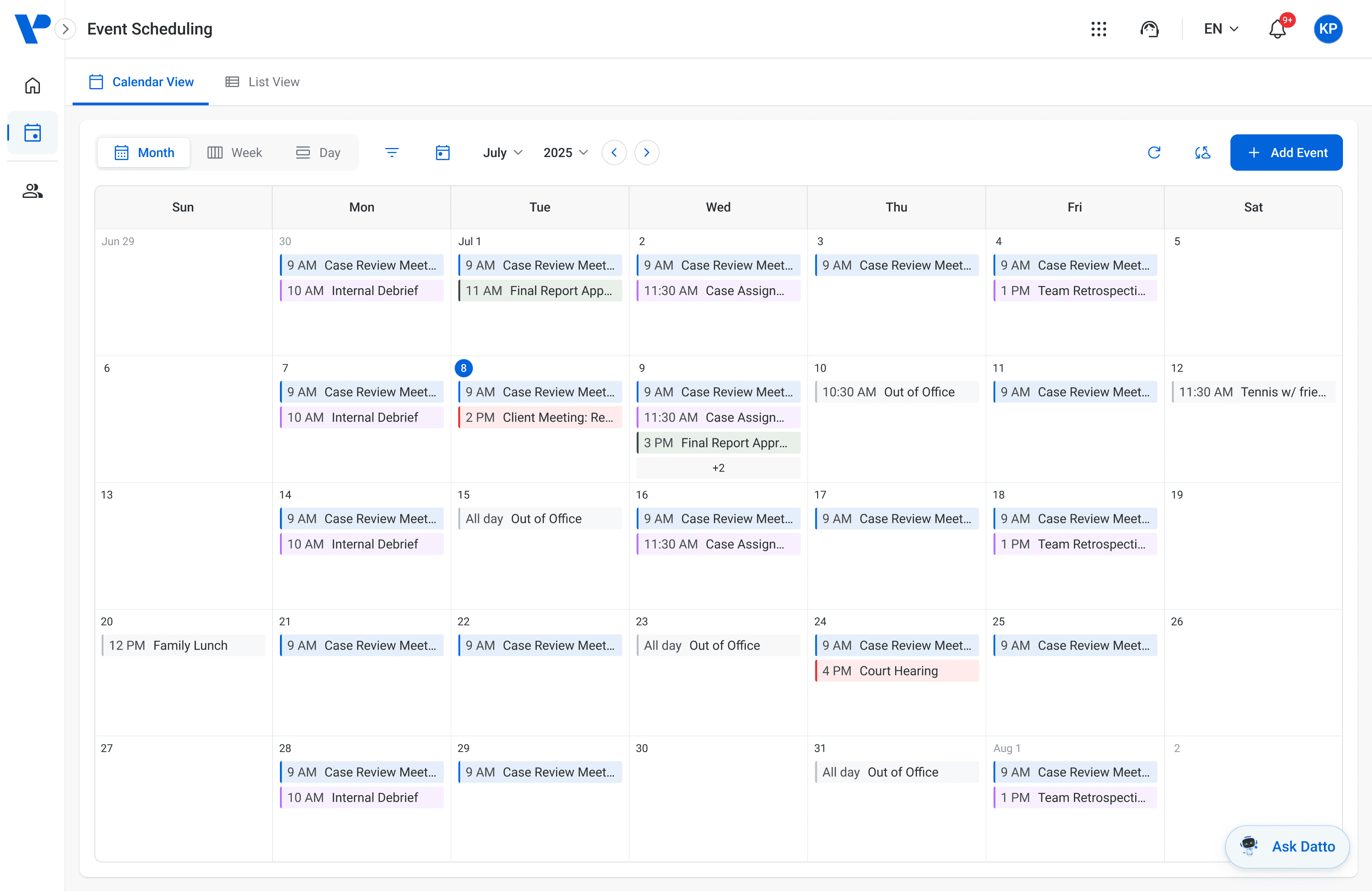
Figure 5. Month view of VizPlatform's Event Scheduling module.
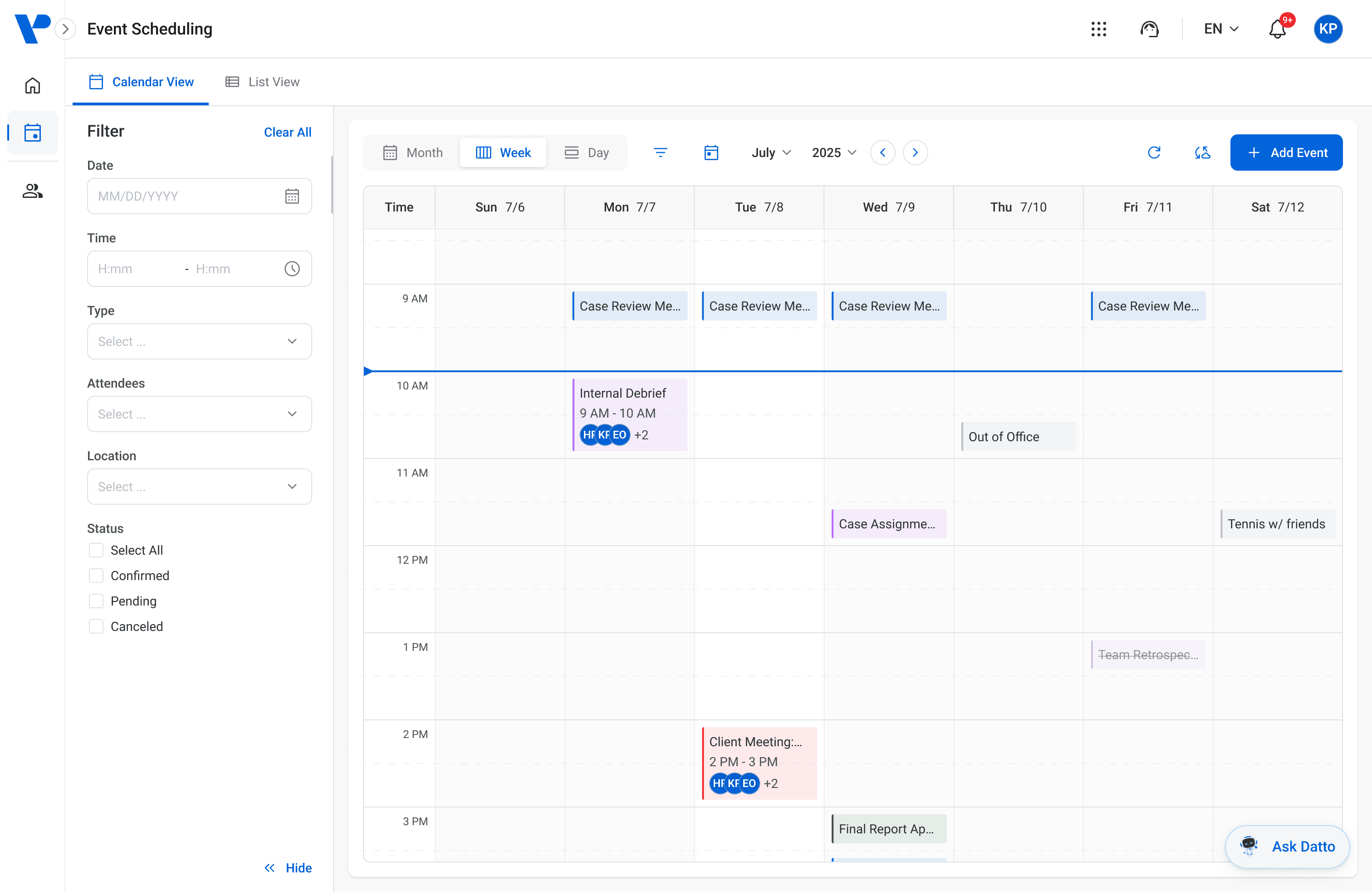
Figure 6. Week view with open filter.
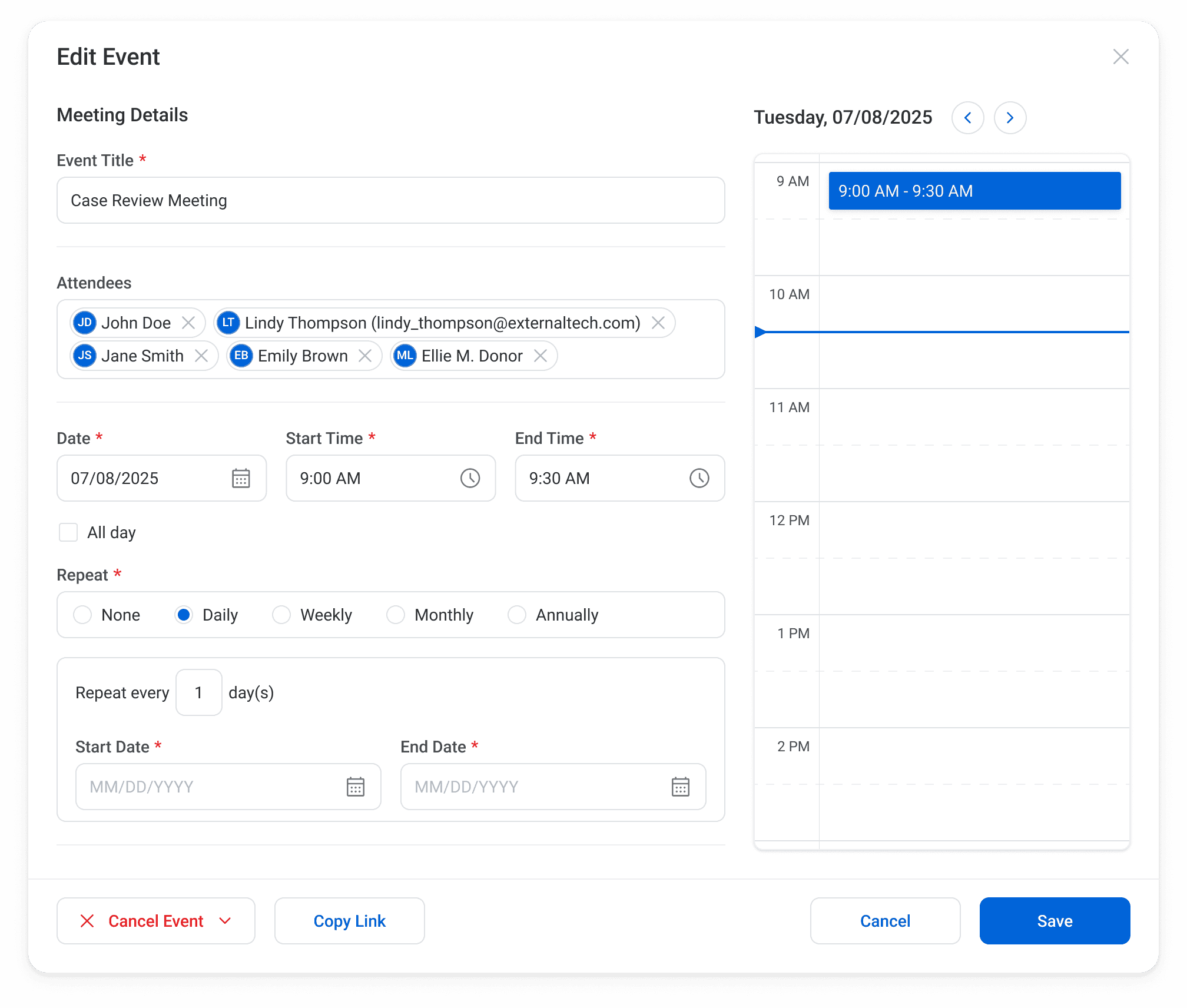
Figure 7. Edit Event modal.
Content Management
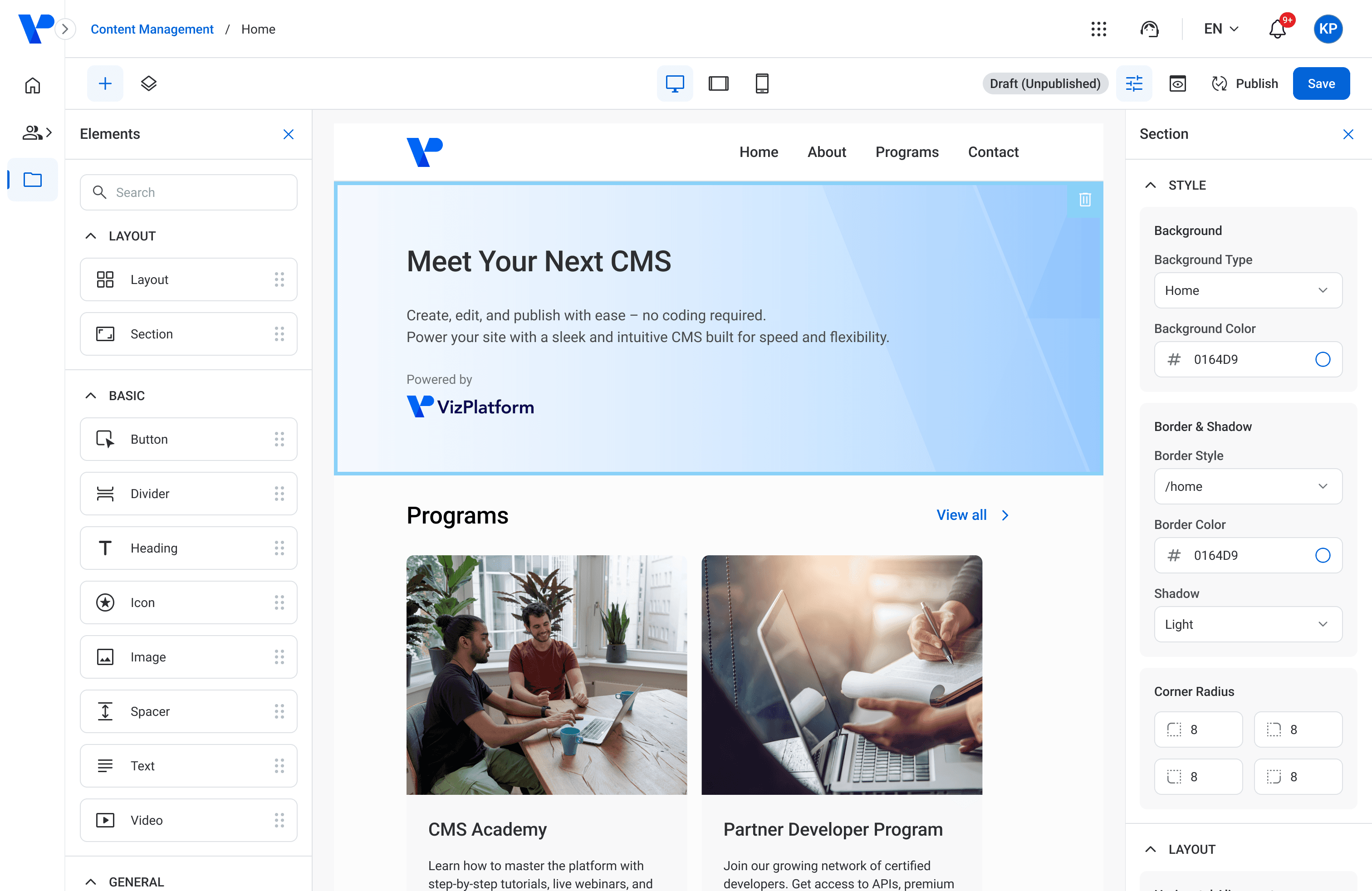
The Content Management module introduced a unique design challenge: creating a flexible framework that could support a wide range of content types, configurations, and user needs without becoming overwhelming.
Because users needed the ability to create and manage highly customized experiences, the design process focused heavily on scalability, configurability, and clarity. This required careful consideration of component structures, interaction patterns, and the relationships between various content elements.
To ensure the experience remained intuitive as complexity increased, each component and its associated states were thoughtfully designed and documented, creating a foundation that could support future growth while maintaining consistency across the platform.
The following screens highlight key areas of the Content Management module and the reusable components that support it.
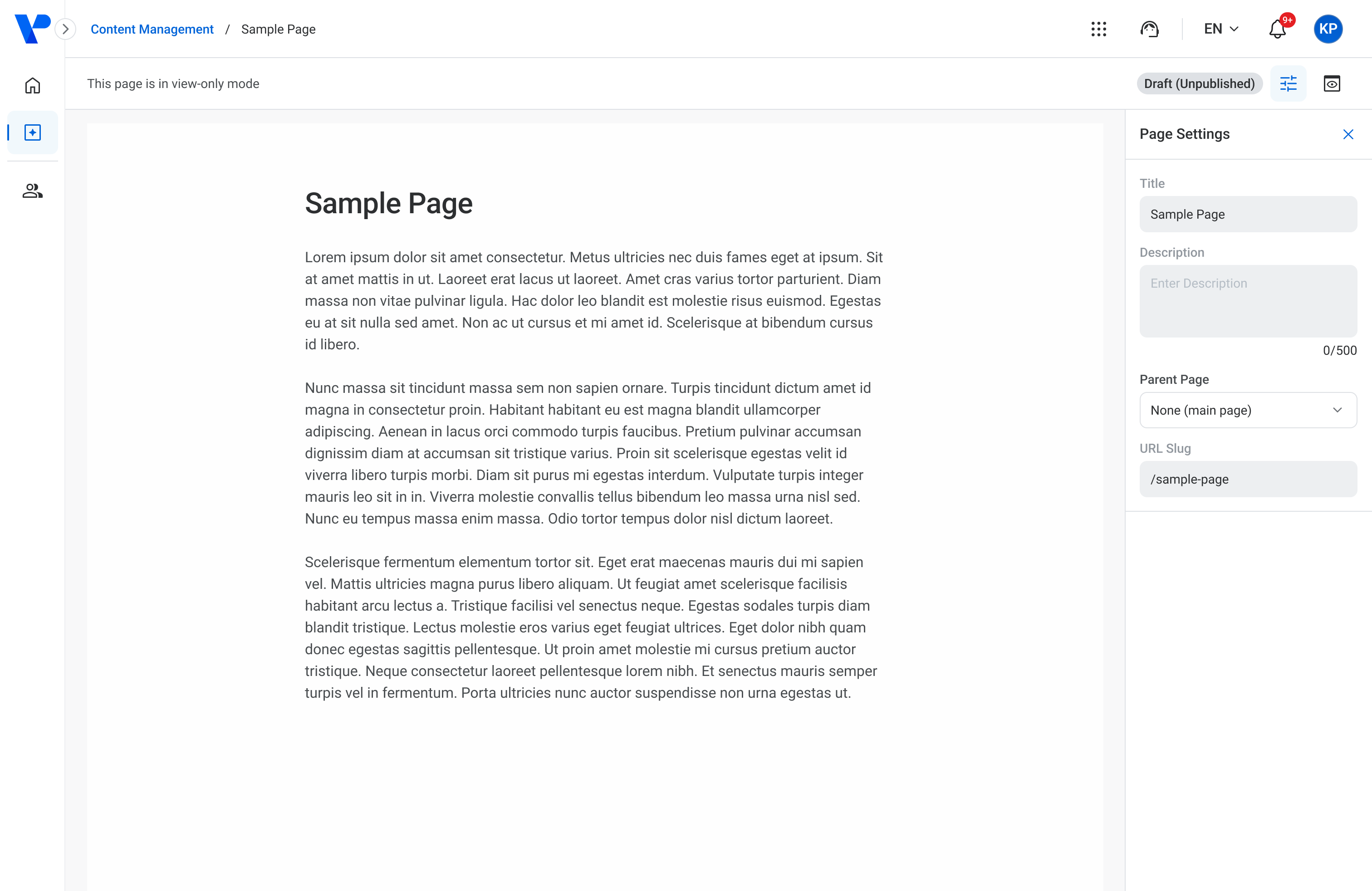
Figure 8. View-only mode of a page.
Figure 9. Unpublished page with Elements sidebar and element configuration.
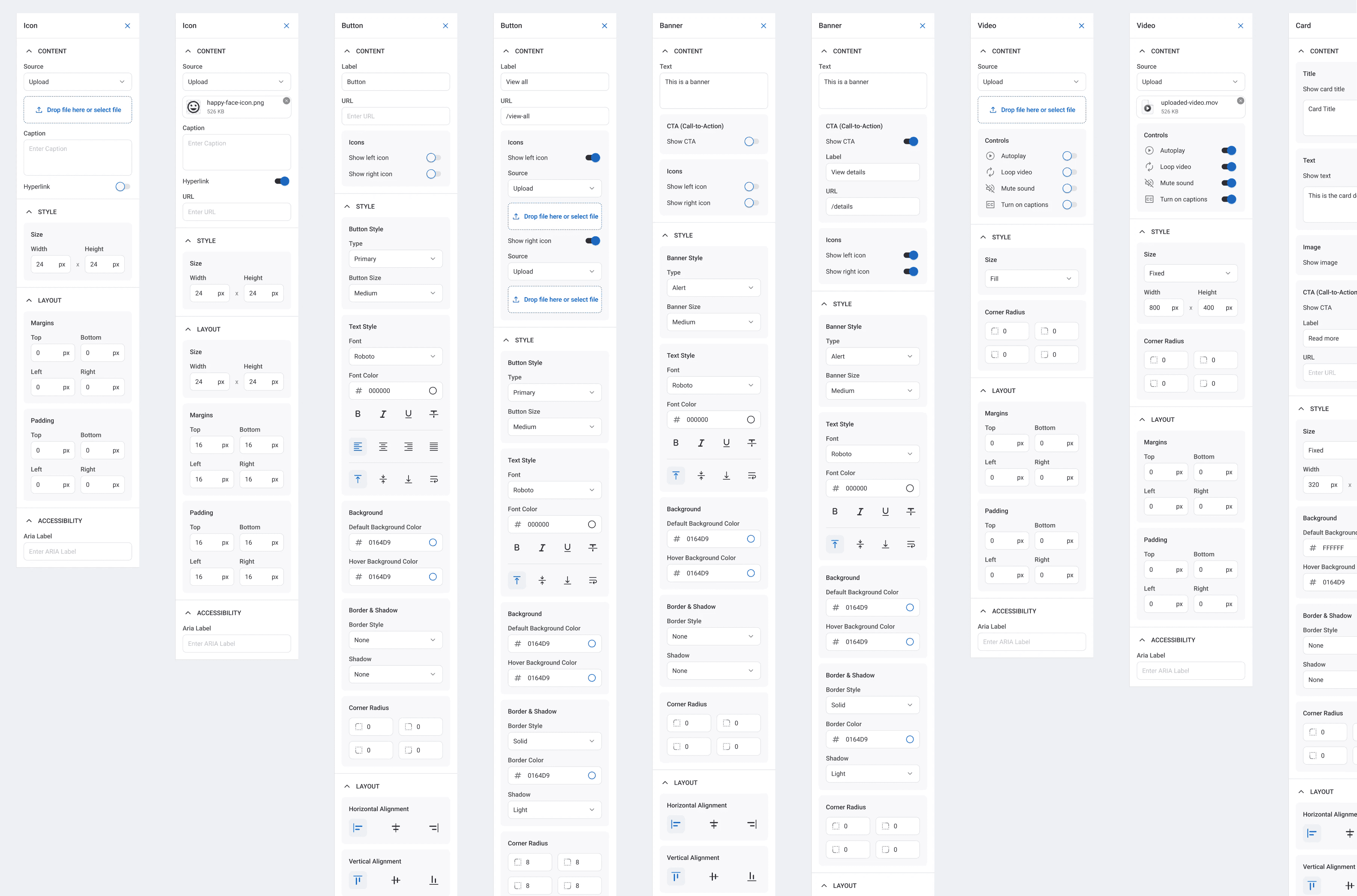
Figure 10. Editable element configurations.
AI Chatbot
As AI capabilities continued to reshape digital experiences, we identified an opportunity to enhance user productivity and self-service support within VizPlatform. I led the design of VizAssist, an AI-powered assistant that could be customized to meet the needs of different products across the platform.
Designed as a contextual companion, VizAssist helps users quickly access information, retrieve data from specific records, generate reports, and complete common tasks without interrupting their workflow. The goal was to create an experience that felt intuitive, accessible, and genuinely useful within users' day-to-day activities.
Beyond improving the user experience, VizAssist also delivered measurable business value. By enabling users to find answers and complete tasks independently, the solution contributed to a reduction in Tier 1 support tickets and report generation requests while helping the platform remain competitive in an increasingly AI-driven market.
Below is an example of the chatbot experience, along with a prototype demonstrating how the solution can be adapted across different products.
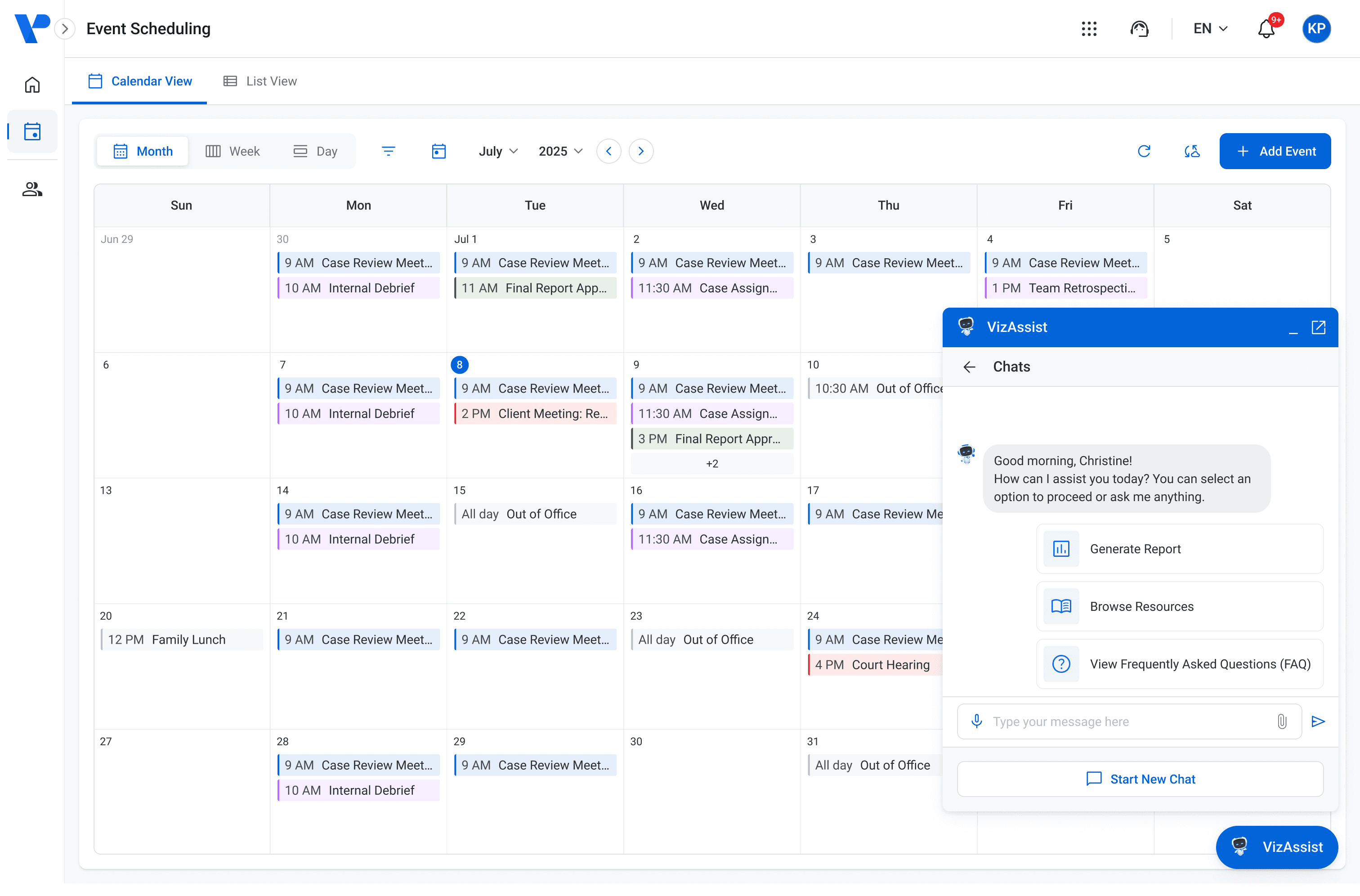
Figure 11. VizAssist in an active state (opened).
Figure 12. Prototype of the AI chatbot in action for another product.